


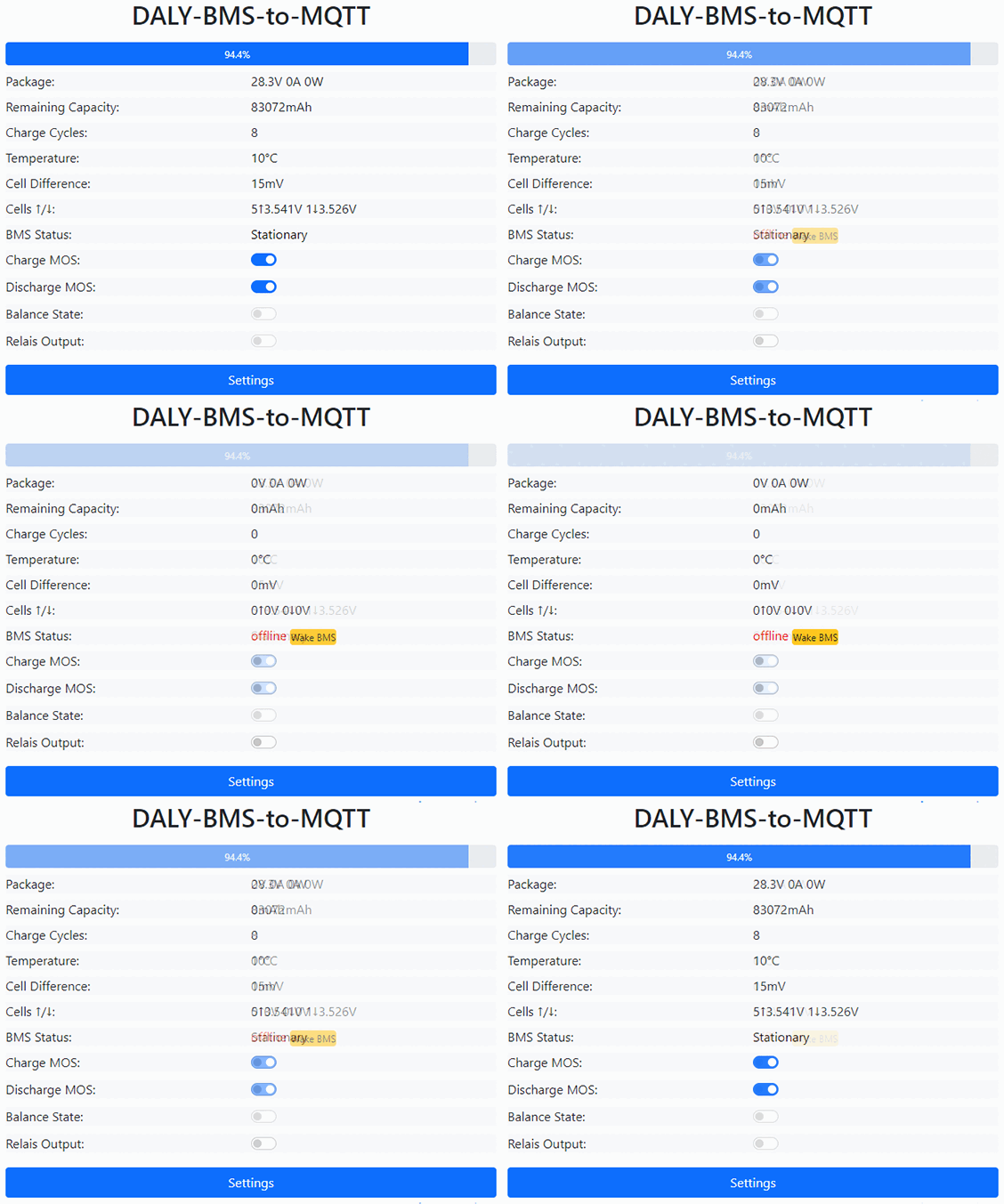
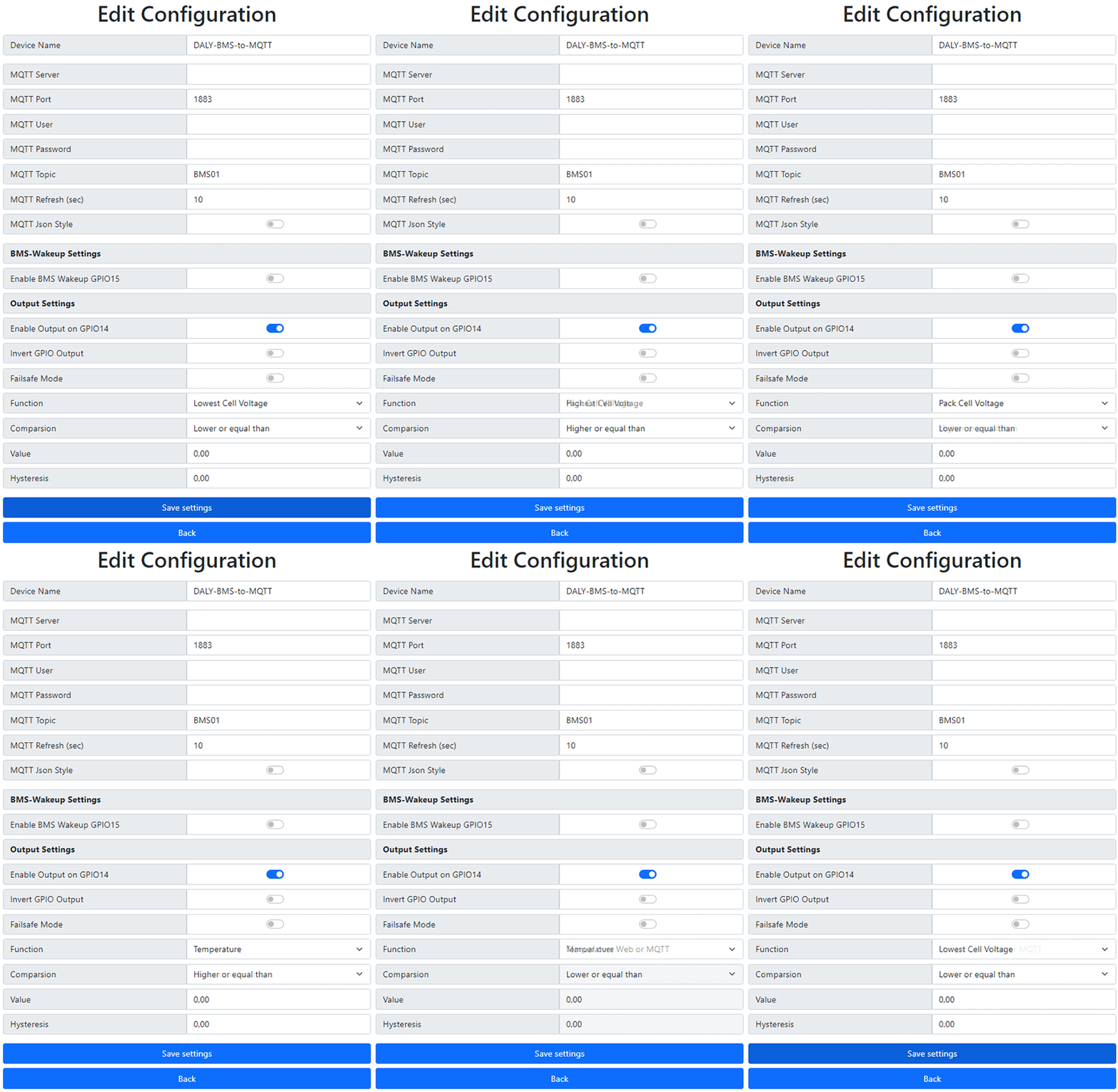




Circuit board for connection to a Daly (or rebranded) BMS for integration into the smart home.
The included cable is simply plugged into the corresponding socket (UART, instead of the cable from the BT dongle). With most BMS, no additional power supply is necessary for the Wemos D1 Mini, the Wemos D1 Mini Per However, in most cases it requires an external power supply. The BMS from Daly have extreme tolerances when it comes to the available current (completely independent of the type).
The circuit board or the Wemos is already delivered with the current firmware pre-installed.
Features:
- Possibility to connect an external relay (ONLY with external power supply)
- Firmware wake function
- completely galvanically isolated from the BMS when operating with an external power supply
- Integrated wake button on the board
- Possibility of connecting an external wake button
- self-resetting fuse (GND loop)
- automatic power switching (with external power supply)
- LED display for external Power supply
- LED indicator for active wake from the firmware
- Optional connection of external temperature sensors type DS18B20 via 1-wire board
Features:
- Captive portal for WiFi and MQTT configuration
- Configuration in the web interface
- Switching of MOS gates via web interface, MQTT and via web
- Set SOC via MQTT
- Retrieve essential data via web interface
- Get all data like cell voltage and more via MQTT
- classic MQTT data points or JSON string via MQTT
- Retrieve JSON via web at/livejson?
- Firmware update via the web interface
- Wake up or keep awake BMS via MQTT
- Universal switching output (only with external power supply)
- Blink codes for the current status of the ESP
- HomeAssistant Discovery
- Password protection (if activated)
Compatible with the following manufacturers:
- Daly (confirmed)
- BullTron Polar series (confirmed)
- Hi-BMS (confirmed)
- XENES (confirmed)
- others using Daly-rebranded BMS (list will be updated as it becomes known)
NEW: From firmware version 2.12.0, the BMS with the Sinowealth protocol are also supported.
Danger: older Daly BMS communicate with an older protocol. This is the so-called Sinowealth protocol. This is not compatible with this board or the firmware!
Look at the type designation:
Devices of the series R16T, R25A, R25T, R32ND, R32S, R32U, R32W function with this board and firmwareDevices of the series R05A, R05C, R05J, R05ND, R05U, R05W, R10C, R10J, R16J, R50A don't workt with this board and firmwareall BMS with fan come from the time after the protocol changeover and work with this board and the firmwareIf you are unsure, please ask in advance Discord channel #pcb after.
Delivery includes a connection cable to the BMS, 30cm long
Project page: https://github.com/softwarecrash/Daly2MQTT
| 5 star | 95% | |
| 4 star | 5% | |
| 3 star | 0% | |
| 2 star | 0% | |
| 1 star | 0% |

 customer
Great device, I can finally access the data via my home assistant. It's exactly what I was hoping for.


 customer
For that price, I'll pass on the soldering iron 😎

Videos (by release date):


 Deutsch
  English
  Español
  Français
  Italiano
  Português
  Українська
Top.
Board (V3) in professional quality, D1 Mini plugged in, flashed, configured, after only 10 minutes I had the first data in the ioBroker.
Why a star deduction? The documentation is very sparse. What is the “Wake” connection for? Can I just use the wake function via GPIO14 or does there have to be something to it?
Otherwise, the “normal” function is flawless and the whole thing is much easier and more stable than fiddling around with it yourself.
Hello Stefan and thank you very much for the review and criticism. We gladly accept it and vow to get better.
The external connection for the wake is intended for a button. The contacts are parallel to the button on the circuit board. The background is that the circuit board is often either difficult to access or, for example, is in a housing and you can't easily reach the button on the circuit board. Then you can connect an external button there. You can get a button yourself or you can order it here in the shop ;-).
But that has nothing to do with the GPIO14 of the Wemo. This runs completely separately from each other. The Wemos “presses” a virtual button (optocoupler) to keep the BMS awake when the feature is enabled in the settings.